↶ Rewind
Back to any turn.
Rewinding restores the game to an earlier turn. Game state, the agents’ conversations and the game clock all go back together, and play continues from there.
oai
oai is a platform for vibe-coding and sharing turn-based games. You describe a game, a coding agent writes it, and the platform runs it.
Games run on a custom runtime. Backend code runs in a sandbox on our servers, and an SDK gives every game AI agents, image generation and more. Every turn is recorded, so any session can be rewound to an earlier turn, with state, agent conversations and clock all restored together. Published games can be played, remixed and built on by anyone.
You tell the platform's coding agent what game you want, and the platform builds and runs it for you.
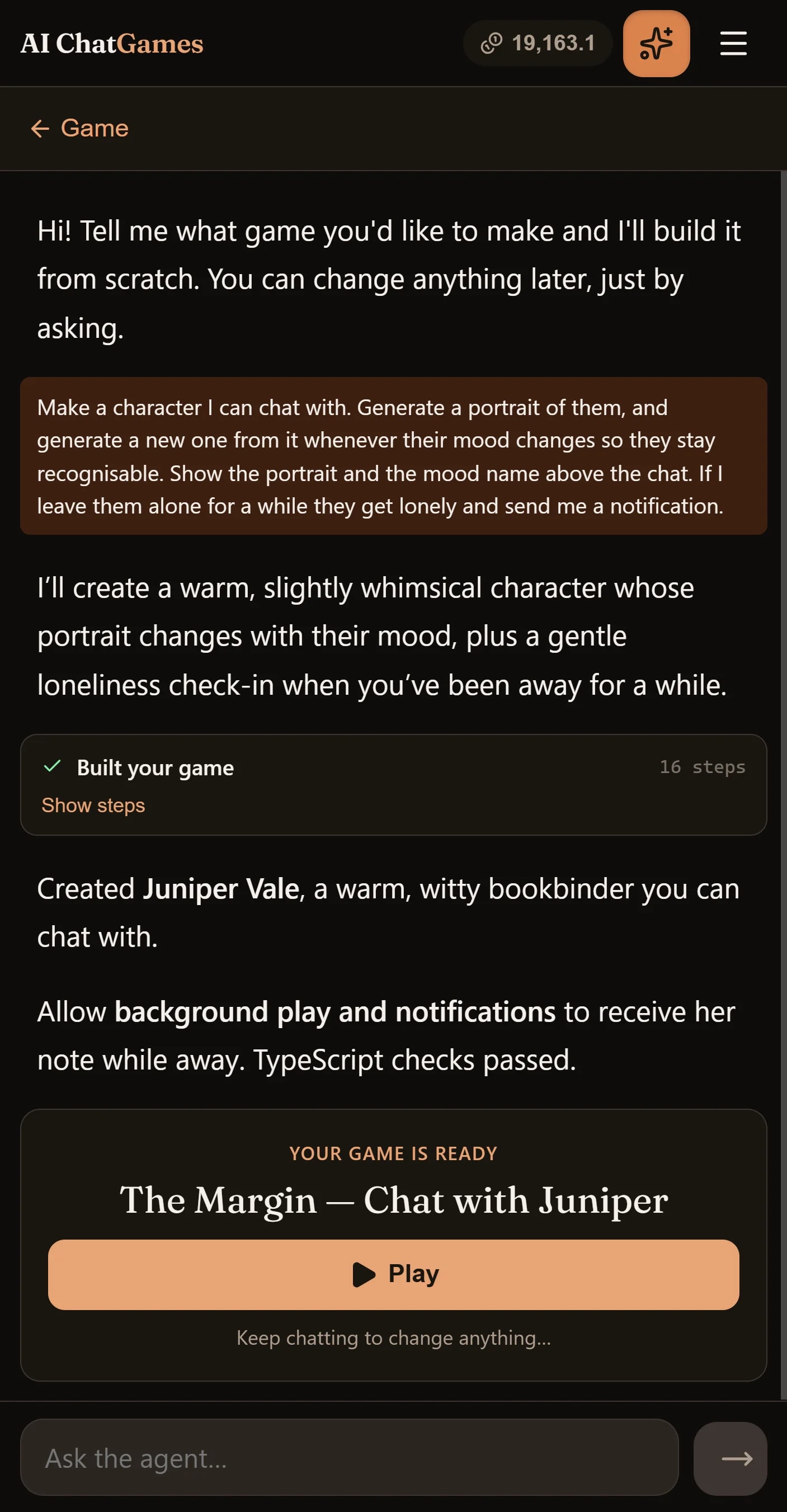
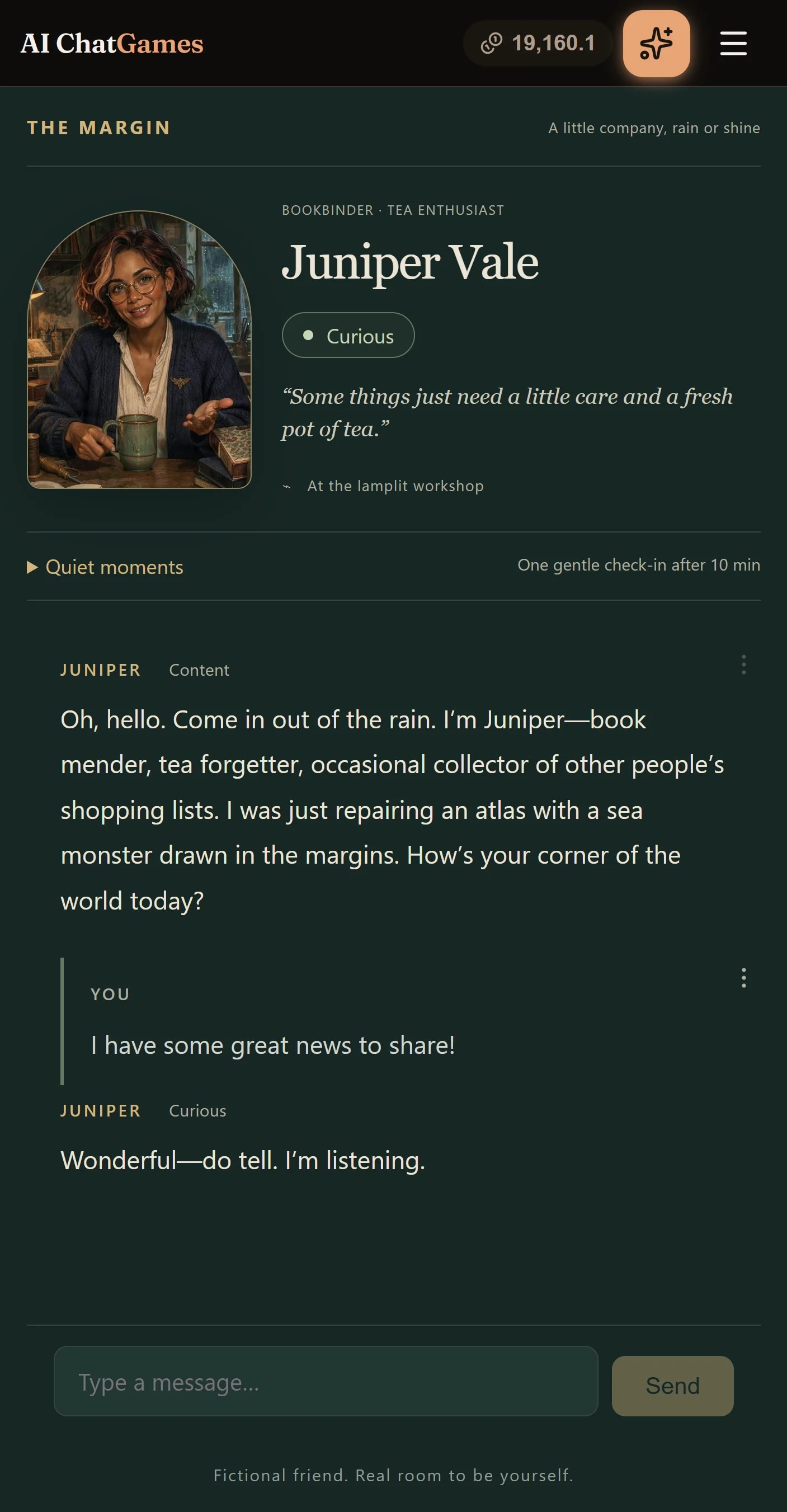
The runtime
Every game runs on the platform. Its backend runs in a sandbox on our servers, both halves are written against the platform’s SDK, and every turn is recorded so it can be rewound.
Follow one player input from the screen to the sandboxed backend and back. Press Next to step through it.
Turn on JavaScript to step through the walkthrough.
Every play session keeps a state: what is true right now, as any JSON value the game code chooses. This game stores the character’s mood and the id of their current portrait image.
{ "mood": "calm", "portrait": "m_4c19a7"}Game code supplies a React component through defineFrontend, and the platform passes the current state to it as a prop.
RenderMedia is a built-in component that displays a generated image by id.
defineFrontend(({ state }) => ( <> <RenderMedia media={state.portrait} alt="Portrait" /> <p>Mood: {state.mood}</p> </>));Every session also keeps a history: the sequence of input events from the player and output events from the game. Like state, an event is any JSON value the game chooses.
{ "type": "message", "text": "Who are you?" }{ "type": "reply", "text": "Just a traveller, resting my feet. Nobody stops here." }The gameHistory prop exposes the recorded history. The built-in Chat component lays them out in sequence, with injected game code to render the actual events the way the game wants to.
Chat is optional: some games render only state, and others may draw the history their own way.
<Chat gameHistory={gameHistory} InputComponent={({ input }) => <p>{input.text}</p>} OutputComponent={({ output }) => <p>{output.text}</p>}/>Chat can accept input.Passing onSubmit gives Chat a text input with a submit button, or a game can render their own controls.
A game can call emit at any time to produce a new input event.
<Chat gameHistory={gameHistory} InputComponent={({ input }) => <p>{input.text}</p>} OutputComponent={({ output }) => <p>{output.text}</p>} onSubmit={text => emit({ type: "message", text })}/>The platform records the new event and rerenders the UI.
If the game is open in multiple windows or devices, they all rerender with the new event simultaneously.
{ "type": "message", "text": "Who are you?" }{ "type": "reply", "text": "Just a traveller, resting my feet. Nobody stops here." }{ "type": "message", "text": "Mind if I sit?" }The game is split into backend and frontend code. Backend game code runs in a serverless sandbox on the platform’s server. The backend provides an onEvent handler to process events.
defineBackend({ async onEvent(event, { state, io, emit }) { switch (event.type) { case "message": // Handle a message event. break; } },});onEvent can access IO.onEvent can access an IO API for working with AI agents, generating images, and choosing random numbers.
AI agents automatically remember messages across turns.
// Once, when the game starts:io.createAgent("character", { systemPrompt: "You are a weary traveller resting by the road.",});// On each message, reach it by name:const reply = await io.getAgent("character").send("reply", { messages: [{ role: "user", content: event.text }],});It’s easy to generate images with the generateImage API, providing a prompt and optionally reference images. Reference images make it easy to modify a character’s pose and expression.
const { mediaId } = await io.activities.generateImage("portrait", { referenceMediaIds: [state.get().portrait], prompt: "Edit this character to be cheerful",});A game can call io.notify to send notifications to the user while the game is running in the background, even if the browser is closed.
(On iOS, the user must have added the game to their home screen as a PWA app for notifications to work.)
io.notify({ title: "Company at last!", body: "The traveller has something to say.", image: mediaId,});state.set.state.set(draft => { draft.mood = "cheerful"; draft.portrait = mediaId;});emit called from onEvent produces an output event, which is also persisted and rendered in the UI.
emit.Chat renders it with the game’s custom OutputComponent.emit({ type: "reply", text: reply.text });A game can optionally set up a tick interval and tick handler to update state on a timer.
If backgroundExecution is enabled, the tick will continue even when you close the game in the browser.
defineBackend({ // ... tickInterval: 1000, onTick({ state, emitInputEvent }) { // Synchronous state updates; no IO. },});onTick can update game state.The tick handler uses the same state.set API. These updates reach the frontend without adding a turn to the history.
onTick({ state }) { state.set(draft => { draft.secondsWaiting += 1; });}onTick can emit input events.onTick can call emitInputEvent to emit an input event when something interesting happens in the game.
Like input events emitted by the UI, these are persisted, presented to the user, and delivered to onEvent.
onTick({ state, emitInputEvent }) { state.set(draft => { draft.secondsWaiting += 1; }); if (state.get().secondsWaiting >= 60) { state.set(draft => { draft.secondsWaiting = 0; }); emitInputEvent({ type: "idle" }); }}A session’s history is a chain of turns, each one an input event and everything it caused. The built-in Chat shows the chain, and any turn on it can be rewound to or edited.
↶ Rewind
Rewinding restores the game to an earlier turn. Game state, the agents’ conversations and the game clock all go back together, and play continues from there.
✎ Edit
If an agent’s reply was wrong, open that turn and edit the reply, or have it regenerated. The turn runs again with your version and play continues from there.
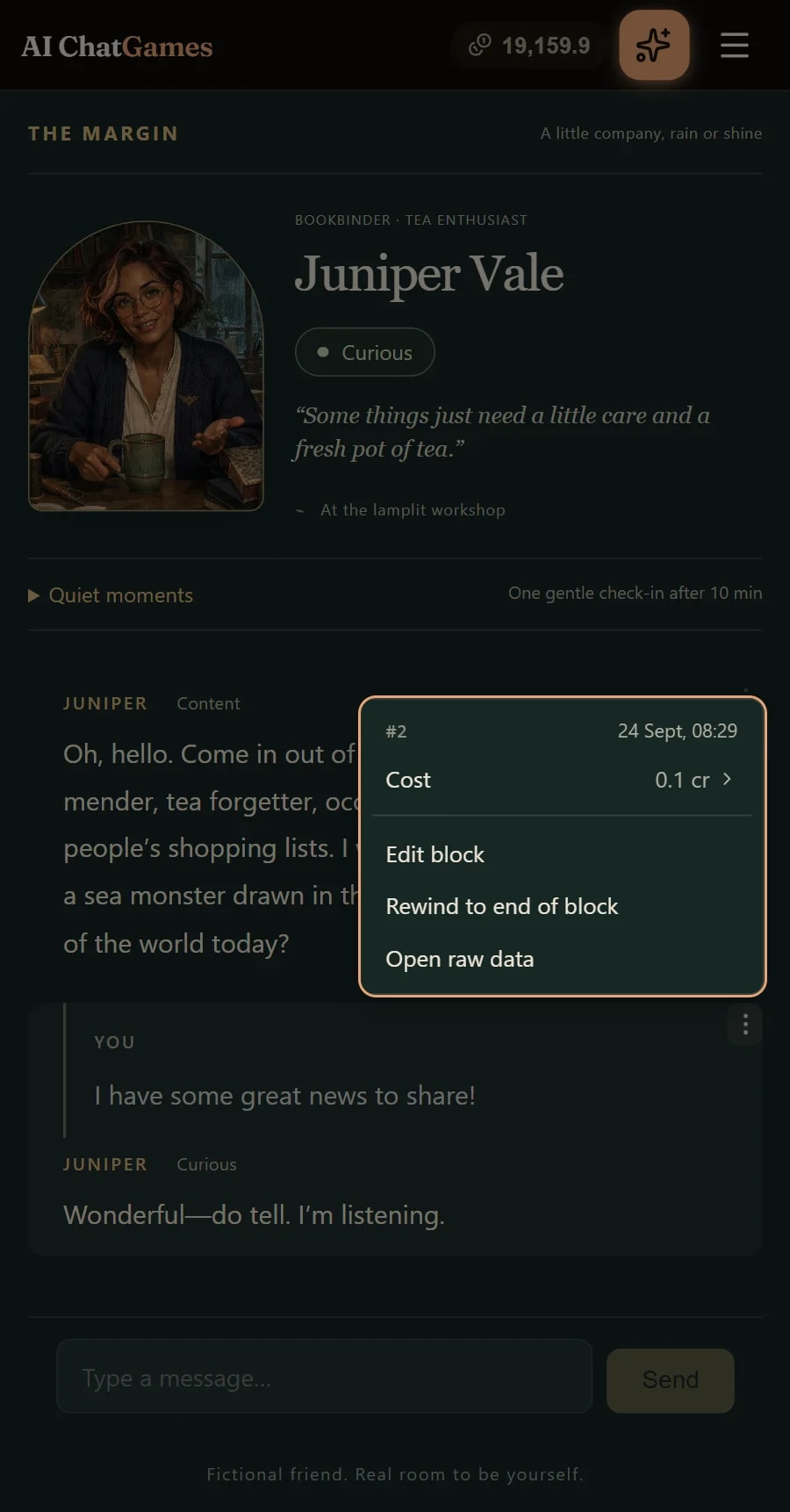
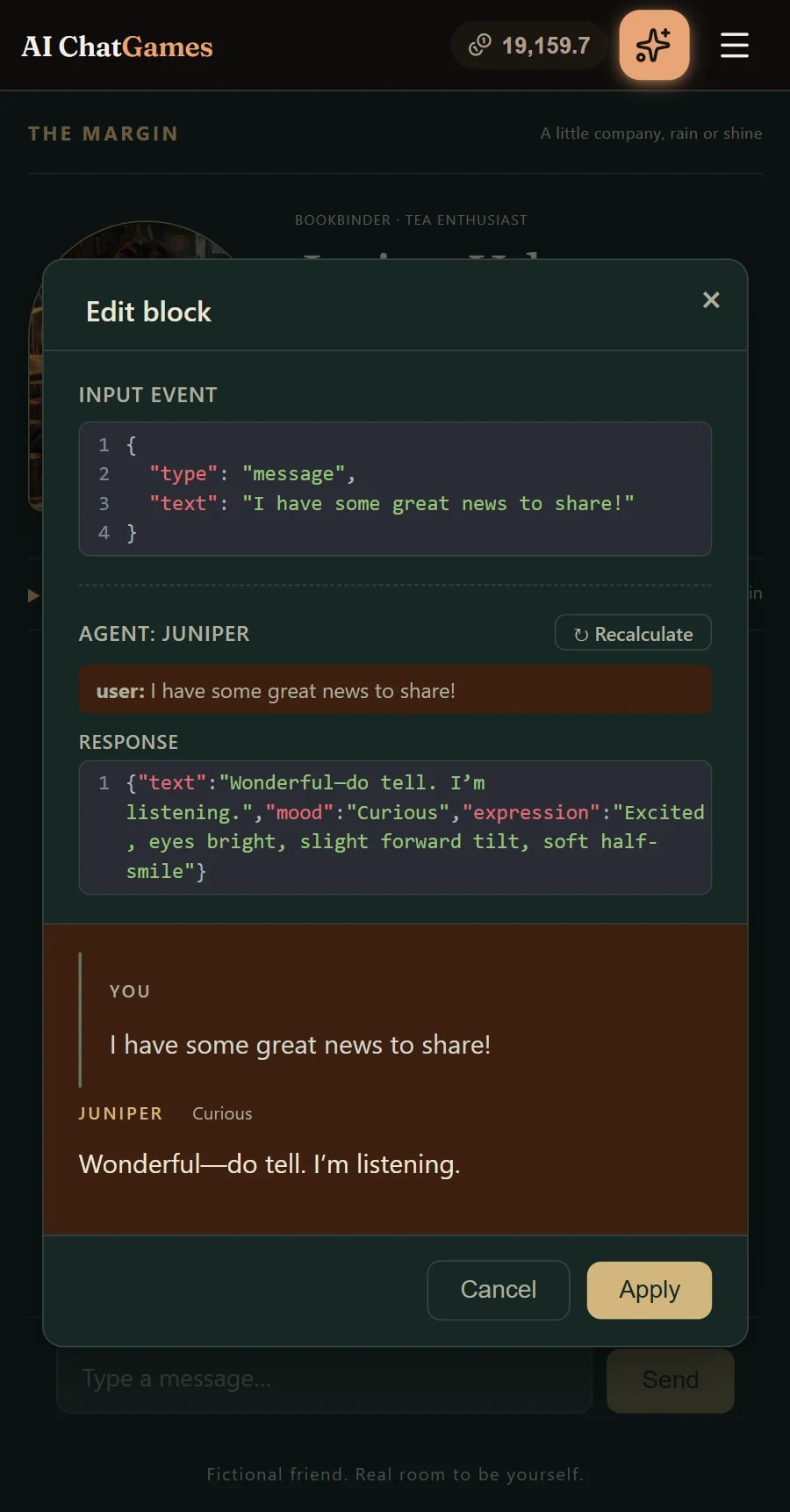
An agent is a named conversation with a model, declared in the backend with its own system prompt, model, tools, and compaction and topic settings. Game code decides when it speaks and what it is told.
agent.send posts new messages and asks for a reply, keeping both. agent.addMessages appends to the conversation without calling the model. A send with no messages makes the agent respond to what it already has, which is how a scene with several characters takes turns. An agent configured with a responseFormat schema replies with validated data instead of text.
A tool is a description, a schema and an execute function. An agent lists the tools it may call, and execute writes game state itself, so a character offering a quest is code changing the world.
Compaction is on by default: when an agent’s history outgrows its token budget, the older part is summarised in a separate call. With topics configured, that summary is divided into topics, described in the next section.
A transient send keeps nothing, neither what it posted nor the reply. The reply is itself a message, tool calls and topic openings included, and addMessages accepts it as is. So a game can pass a one-off instruction, or draft a reply and check it, then keep only what should stand.
Normally, when an agent’s context window fills up, compaction summarises the history so far, and the new context window starts with that summary.
With topics configured, the summary is divided into topics, each with a name. A topic is usually something the game cares about, such as a character, a place or an item, and holds a short description and a summary of everything that has happened involving it.

At each compaction, the summariser updates the topics that were open, and can also close topics that no longer matter. This is where the power lies. A closed topic’s summary is left out of the new context window, but its name and description stay listed, and the agent can bring it back at any time by calling open_topic, which returns the summary.
Topics are configured through prompts. The compaction prompt says what counts as a topic, what keeps one open, and what its summary should hold. The agent’s prompt can say when to open one. A game can also seed the topics an agent starts with.
An agent never spends a tool call keeping its topics up to date, so there are no extra round trips to the model. Summaries are rewritten during the compaction that runs anyway. In our tests, this cut the agent’s output tokens by about 40% compared with having it write its own notes.
Cached input tokens cost up to 20 times less than fresh ones, so topics are designed never to invalidate the cache between compactions. Opening a topic adds a message to the end of the conversation, and the summary at the start changes only when compaction runs.
Topics are recorded with every turn, so they rewind with the game, along with its state and clock. Editing an earlier turn takes them back to that point too.
We tested several memory designs against each other on the same game. Topics came out ahead on every measure: the agent had the right topics in view more often, missed fewer that it needed, and cost 20–28% less to run.
A game can generate images while it is played. It calls generateImage with a prompt and gets back a media id at once; the picture is drawn in the background and appears the moment it is ready, so the turn never waits on it.



Fast and cheap
A 1024×1024 image with no references is back in as little as three seconds on a warm server, and typically within six. It costs one credit, which is between 0.4¢ and 1¢ depending on the plan. Asking for the same image again returns it at no charge.
Consistent characters
A prompt can carry up to ten reference images from the game. They fix a character’s face, outfit and style, so the prompt states only the change: here The Margin draws Juniper’s new mood from her one reference portrait each time it shifts. Several references compose into one frame, so two characters can share a scene.
A game reads the date and time from state.now, and runs in one of two modes. In wall time the clock is the player’s real one. In game time it is the fiction’s own clock, which opens at a moment the game chooses and advances only while the game runs.
| Wall time | Game time | |
|---|---|---|
| Follows the player’s real clock | – | |
| Pauses while the game is suspended | – | |
| Rewinds with a rewound turn | – | |
| Supports fast-forward | – | |
| Use it for | Companions, pets, care loops | RPGs, board games, suspendable stories |
Each playthrough is a session that runs on our servers. Your screens are windows into it, so it carries on when you switch devices, or close them all.
Open the same session on your phone, laptop or another browser tab, and each screen receives the same game state and history as they change. Start on one device and continue on another, or keep several screens open together.
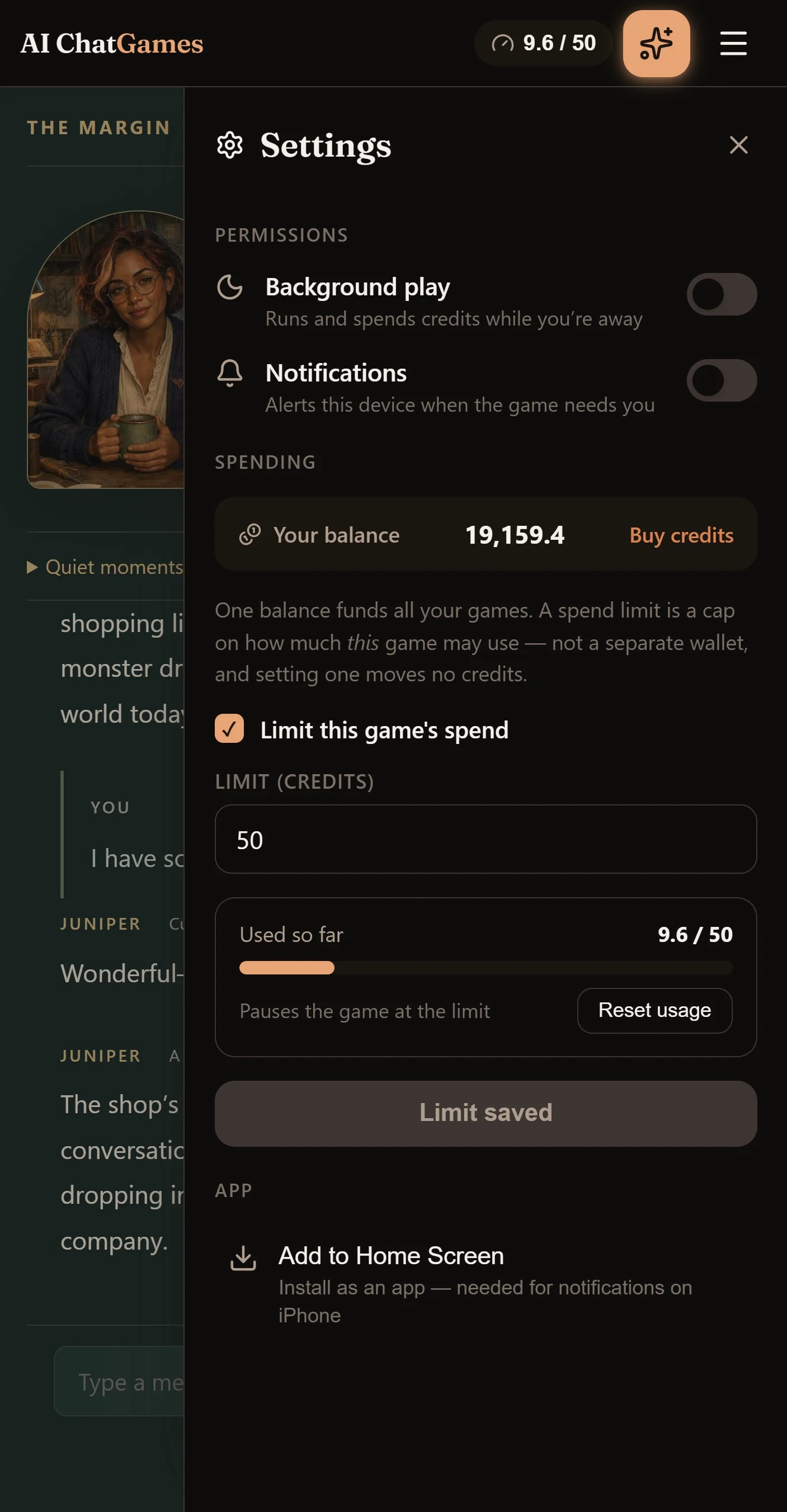
Because the session runs on our servers, a game that supports background play can keep going after you close every screen: a pet growing hungry, a garden growing, or characters carrying on a conversation. With your permission, it can run for up to 48 hours after you leave, within your spending limit.
You control whether it runs while you’re away. See background play and spending controls.
A game can reach out when it needs your attention: your garden needs water, something is ready, or a character has news. Notifications appear in your inbox across games, and you can enable push notifications on your device to hear from the game while you’re away.
Building and sharing
How a game changes after the first prompt, and how it travels once it’s published.
Ask for a change whenever you like, and the coding agent makes it. It reads and writes the game’s source, and it can look inside the game you’re playing: the state, what each character said, and recent turns with their logs.
Say “Juniper forgot my name” and the agent can open the turn where it happened, read the messages and logs, and fix the cause. You describe what went wrong in your own words; it finds out why.
The agent sees an index of the platform’s guides and reads the ones it needs as it works, so it follows proven patterns and avoids known pitfalls. They’re the same guides you can read in the docs.
After a change the platform typechecks, feeds any errors back to the agent to repair, builds, and saves a revision.
A revision that keeps the state’s shape hot-swaps into the running session with its state intact. One that changes it leaves the session on the old revision and offers a restart. Updating your copy and publishing an update for others are separate actions.
Bring your own agent
Connect Claude, or any agent that speaks MCP, and sign in. It gets the same tools as the built-in agent, and a few more: it can start a session and play the game itself, so it tries out its own changes before you do.
https://oai/mcpPlaying a published game gives you your own copy of it, crediting the original. The coding agent sits beside it, ready when you want to change a rule, a character, or the whole premise.
Name any published games and say what you like about each. The agent copies the code that already works, with the comments that record its pitfalls, instead of rediscovering them from scratch. Every game it draws on is credited under “Inspired by”. It sees their published source only: never anyone’s conversations, sessions or drafts.


You ask
“A murder mystery like Murder on the Nightline, where each suspect’s portrait shows how they’re feeling, like Juniper’s in The Margin.”
Inspired by Murder on the Nightline · The Margin
Publishing puts your game on Explore and your profile, where others can find it, play their own copy, and build on it.
Your game
The MarginJuniper, a bookbinder in a rainy seaside workshop



Publishing pins the version you chose. Keep changing your game in private, and choose Update post when you want players to have your latest. Anyone who already has a copy keeps the one they started with.
Others can play your game and build on its source. Your chats with the coding agent, your sessions and your unpublished changes stay yours.
Each player plays their own copy on their own balance, so a popular game never runs up your bill.
Before it goes up, a game needs a title and a category, and it passes a content check.
Coming later: comments, likes & recommendations